BirdSpot is published and was built hands-on: I wrote the code with the app running live on an Android phone and an iPhone, so I saw every change as I made it. Hov! is built hands-off: agents work on their own on a Mac, and a request I say out loud can become a tested pull request without me opening an editor.
01 — Two approaches
The apps
Published
BirdSpot
An observation and alerting app for ornithologists, with a backend, an admin site and a website. I developed and published it.
Built
By hand, since March 2025
Process
Commits straight to main at first, pull requests later
Dev loop
Live preview on a real Android phone and iPhone through Metro, checked by eye as I code
Release
App stores, plus over-the-air updates
In development
Hov!
An iOS and Android app for creating events that businesses can apply to or book a spot at.
Built
AI-first, by coding agents on a Mac Studio
Process
Every change starts as an issue and ends as a pull request
Dev loop
Autonomous agents on the Mac, using only the iOS simulator and Android emulator, kept in bounds by guardrails
Proof
The tests, device runs and screenshots each pull request has to include
My role
Decide what to build, answer questions, review and merge
02 — Hov!'s workflow
From a spoken request to a pull request
I can start work from the voice assistant. From there, nothing needs me until the pull request is ready for review.
Step 01
Say it
"Start work on…" to the voice assistant, from any device
Step 02
Issue
The assistant writes a GitHub issue and labels it for Claude, Codex or the local model
Step 03
Dispatch
A dispatcher on the Mac Studio starts an agent in its own worktree, within set hours and a daily budget
Step 04
Build and verify
The agent follows the repo's rules, runs the quality gate and drives the app on a simulator and an emulator
Step 05
Pull request
With the checks that ran, screenshots next to the design, and open questions
Step 06
I merge
Agents never merge or push to main. I review in GitHub and merge
03 — Setup
What makes it work
The agents are only as good as the repository they land in. Much of the work on Hov! has gone into making that repository explicit.
Rules
Written-down rules
An agent guide lists the rules that always apply, and skills cover issue work, design work and device testing. A decision log says what may be built; if a capability isn't decided yet, the agent stops.
Design
Design as the source
Issues point at Figma frames. Agents read them, build from design tokens, and put their screenshots next to the frames in the pull request. Without the design, they don't guess a layout.
Evidence
Proof, not claims
The pull request template asks only for checks that actually ran. Scripted device flows run on the iOS simulator and Android emulator, and locks keep parallel agents from sharing the database or a device.
Lint and types
Unit tests
Database tests
Device flows
Feedback
A friction loop
Every pull request ends with what slowed the agent down. Every few days, a separate run reads those notes and fixes what keeps coming back, in the setup itself.
04 — Example
How an agent proves its work
Snippets from one of Hov!'s pull requests, written by the agent that did the work. For each screen it shows the target, the Figma frame it built from, and what it actually built, captured on the iOS simulator and the Android emulator.
Merged
Create event: bottom sheet, platform date picker, step 6 and Leave for now #105
Closes #103 · opened 07:59, merged 13:07 the same day · +1,036 −27
Target vs implementation
Target
Figma
Implementation
iOS simulatorAndroid emulator
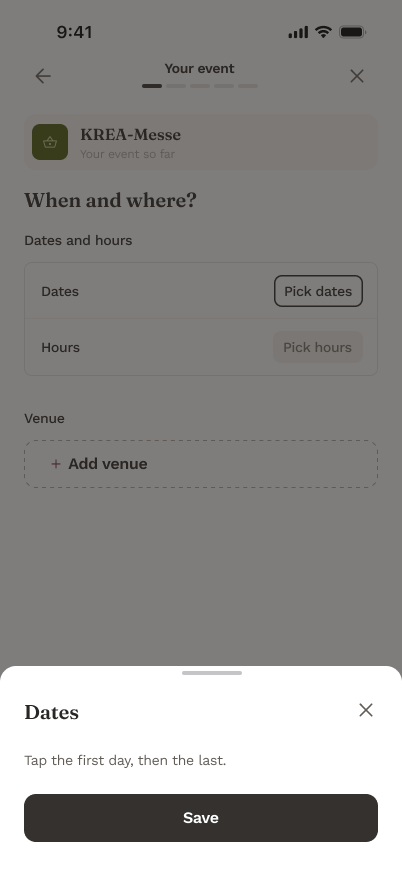
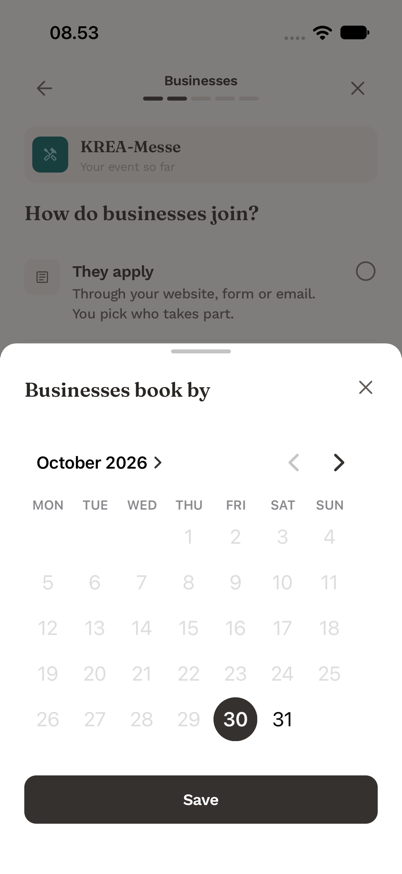
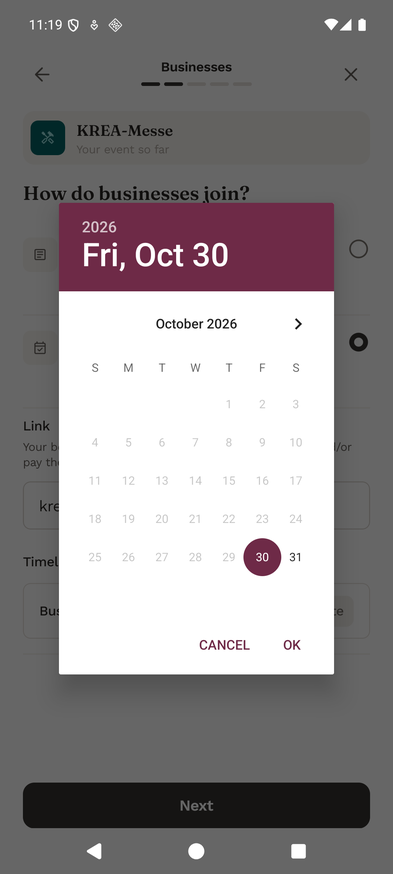
The design's date sheet was unfinished, with no calendar drawn. The agent used each platform's own picker instead: a calendar inside the app's sheet on iOS, and the system dialog on Android, coloured with the brand's plum read from the design tokens. It flagged the choice for review.
Target
Figma 396:33125
Implementation
iOS simulatorAndroid emulator
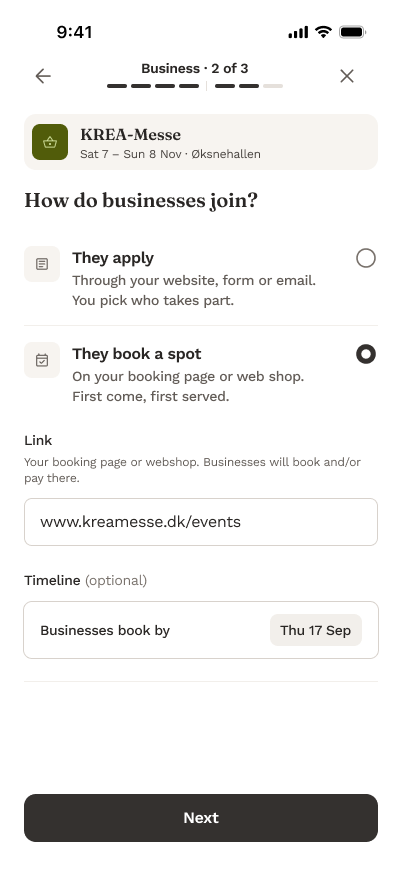
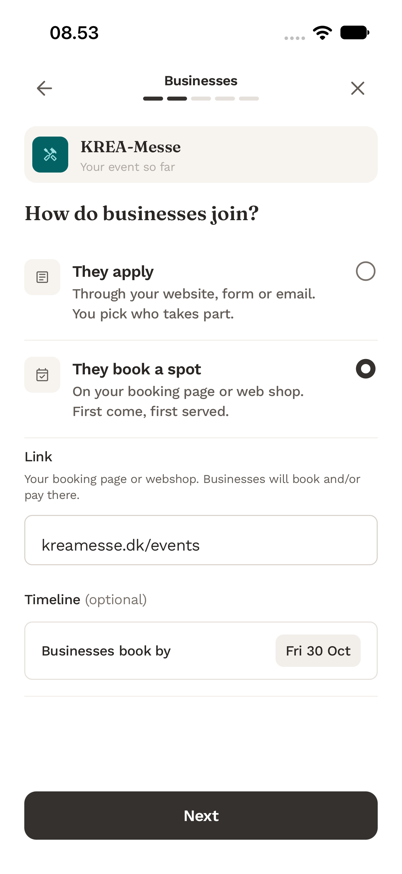
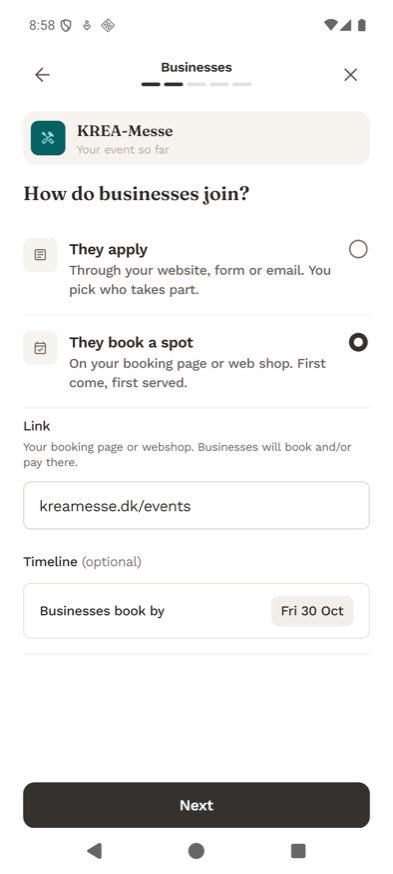
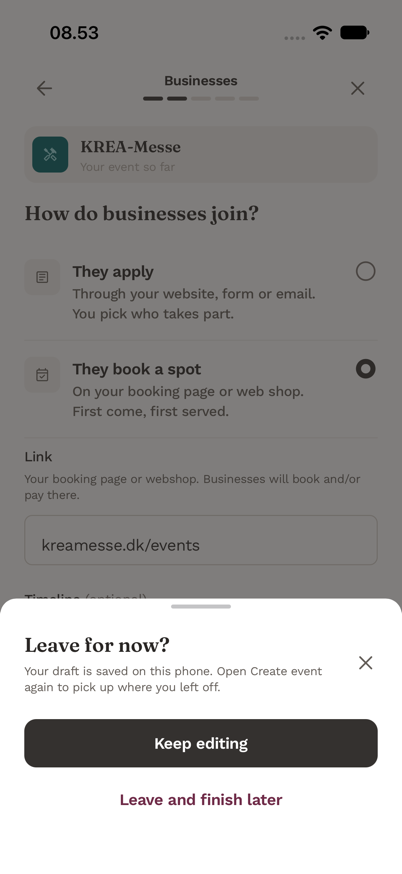
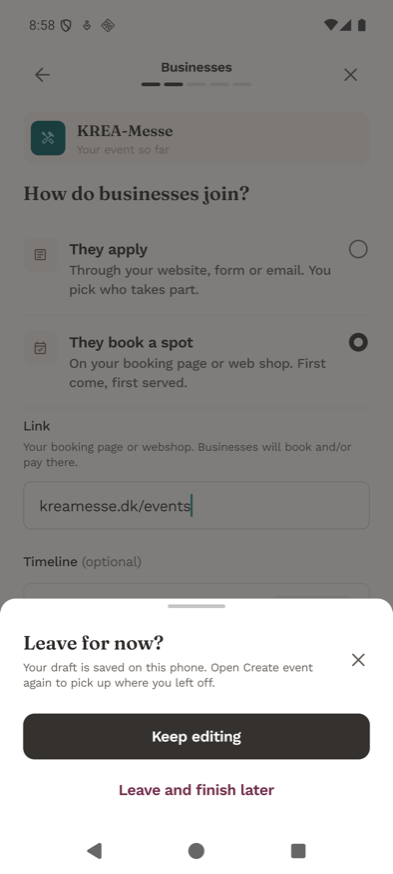
"They book a spot" opens a link and a booking deadline. Each way of joining keeps its own answers, so switching back and forth loses nothing.
Target
Figma 396:31949
Implementation
iOS simulatorAndroid emulator
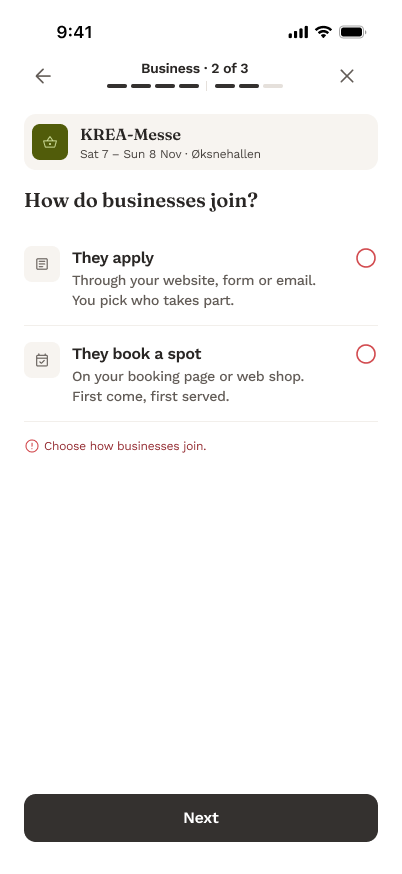
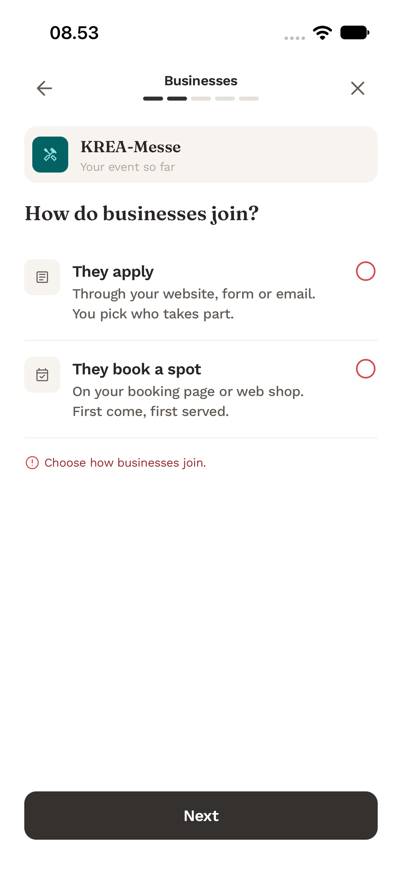
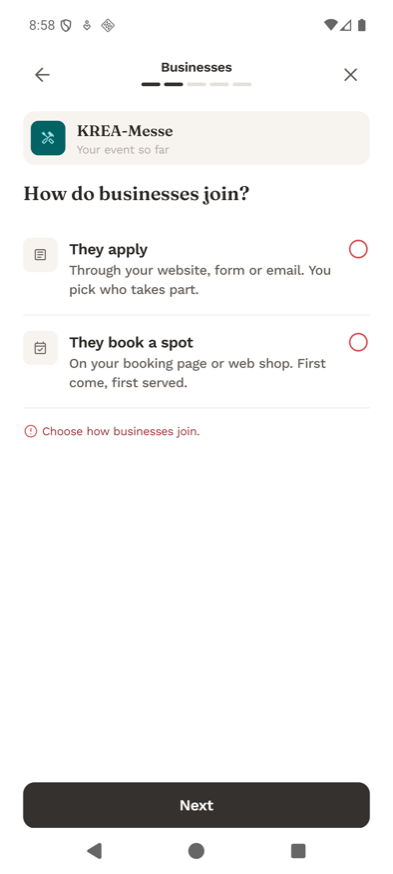
Pressing Next without a choice shows the frame's error state: red radios and "Choose how businesses join."
Target
Figma 254:18210
Implementation
iOS simulatorAndroid emulator
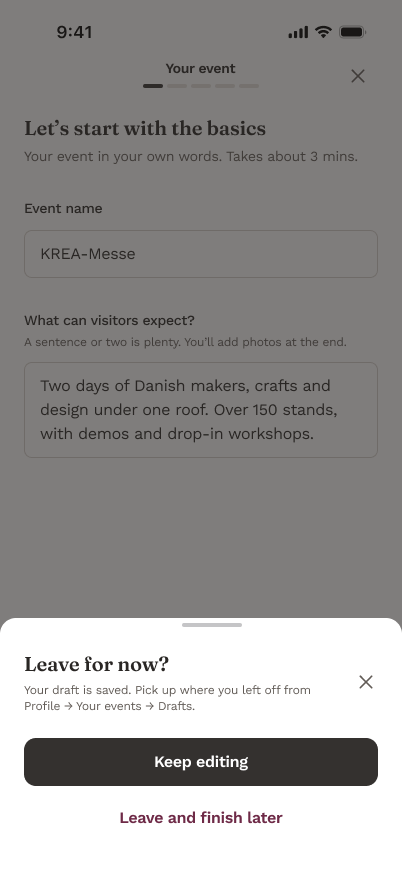
The frame points to a Drafts list that doesn't exist yet, so the agent rewrote the sheet's text to say where the draft really is, and flagged it.
Checks run
npm run quality:app: passes. Format, design tokens, translations, lint, types, and 61 Jest tests, with new ones for step 6, the leave sheet and translucent tokens.
Device flow, steps 1–6, leave and resume: passes on the iOS simulator and the Android emulator, both with a fresh development build for the new native module.
Not done: no physical device and no VoiceOver or TalkBack review. The simulator runs are flow evidence only.
Choices to review
The platform's date picker instead of a drawn calendar, since the design has none yet.
No frame shows a missing link, so it says "Add a link to continue." under the field.
The leave sheet's text, rewritten because there is no Drafts list.
Friction
The token build silently dropped transparency from colours, so a see-through overlay would have come out solid. Fixed in the same PR, with a test.
The design system has no colour named "brand primary", so the agent had to choose between two. Suggested fix: name the main brand colour.
05 — Next
The road to production
Hov!
Preview builds next
Hov! isn't released yet. Next are preview builds through TestFlight and Google Play's internal testing, with over-the-air updates, so a merged change reaches testers' phones without me building it.
BirdSpot
Production stays a human step
BirdSpot now gets agent work too, including its release checklist and update scripts. Publishing to production still needs a token only I can unlock.